Run Multiple Viber on Windows (2026 Update)
How to run multiple Viber accounts on Windows 11 with a second local user and runas, plus the /savecred security risk and safer options I now recommend.
Schedule automatic MySQL backups on Windows with mysqldump and Task Scheduler, updated for MySQL 8.4: routines, events and safer password handling.

If MySQL runs on a Windows server and nobody remembers to export the databases, the backup you need on a bad day is the one that does not exist. In 2017 I solved this with one mysqldump line in a .bat file and Windows Task Scheduler. This way to automatically back up MySQL databases on Windows still works. MySQL has changed since then, though, so I have added Update 2026 notes wherever the original needs correcting.
mysqldump writes your databases to a plain SQL file that you can restore almost anywhere. Task Scheduler runs that command on a timetable without anyone logging in. Together they give you a dependable daily backup with no extra software.
My original command for all databases (username root, password 123456) was:
mysqldump -uroot -p123456 --all-databases > "D:/mysql_backup_%date:~-4,4%-%date:~-10,2%-%date:~-7,2%-%time:~0,2%_%time:~3,2%_%time:~6,2%.sql"
This produced a file such as mysql_backup_2017-10-21-20_29_54.sql. For one database, replace --all-databases with --databases mydatabasename.
The date parts meant:
%date:~-4,4%: year, 4 digits%date:~-10,2%: month, 2 digits%date:~-7,2%: day, 2 digits%time:~0,2%: hour, 24-hour format%time:~3,2%: minutes%time:~6,2%: secondsUpdate 2026: change several things before you use this today.
--routines --events. The MySQL 8.4 mysqldump manual says that from MySQL 8.4 the mysql.proc and mysql.event tables are no longer used. As a result, --all-databases alone no longer carries stored routines and events. Without these flags, a restore can quietly miss them.--single-transaction for a consistent InnoDB snapshot without locking the server.mysql_config_editor, which stores credentials in a login path file. That file belongs to one Windows user, so the scheduled task must run as the account that created it. Lock that account down as well.%date% and %time%. Their output depends on regional settings, so day and month can swap, and before 10:00 the hour has a leading space. A PowerShell timestamp is the same on any locale.--result-file instead of >. The manual recommends this on Windows to avoid newline conversion.root, with only the privileges mysqldump needs. Also call mysqldump.exe by its full path, as it is often not on PATH.The updated script, as an example to test on your own system:
@echo off
setlocal
rem One-time setup, run as the task's account:
rem   mysql_config_editor set --login-path=backup --host=localhost --user=backup_user --password
for /f %%i in ('powershell -NoProfile -Command "Get-Date -Format yyyy-MM-dd_HH-mm-ss"') do set TS=%%i
"C:\Program Files\MySQL\MySQL Server 8.4\bin\mysqldump.exe" --login-path=backup ^
  --all-databases --single-transaction --routines --events ^
  --result-file="D:\Backups\mysql_backup_%TS%.sql"
Save the command as mysql-backup.bat in a folder that ordinary users cannot modify or delete, for example a protected folder on C:.
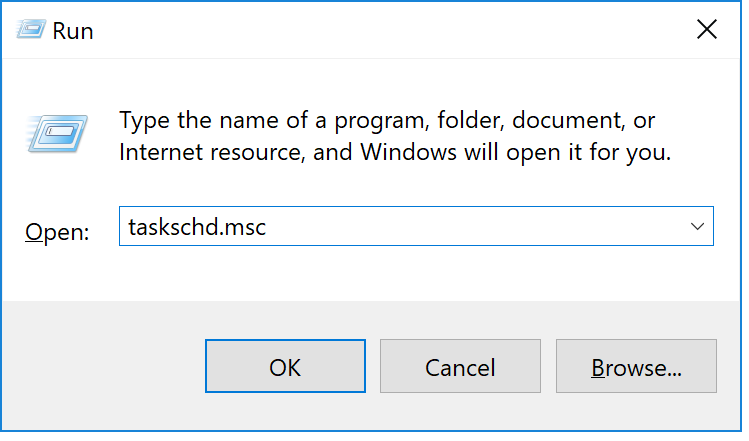
taskschd.msc.
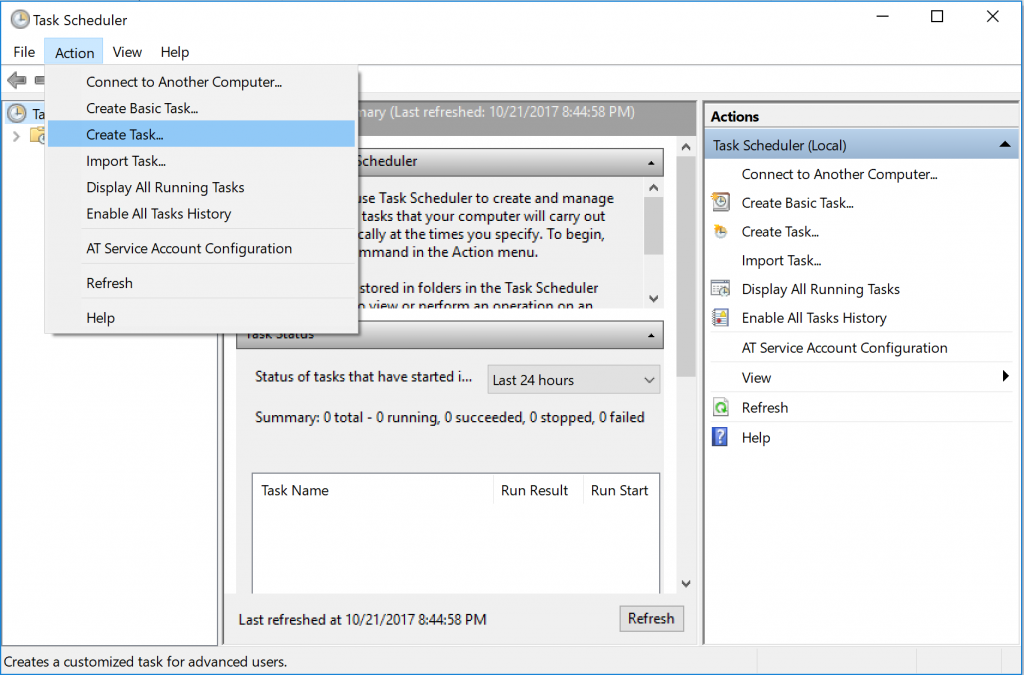
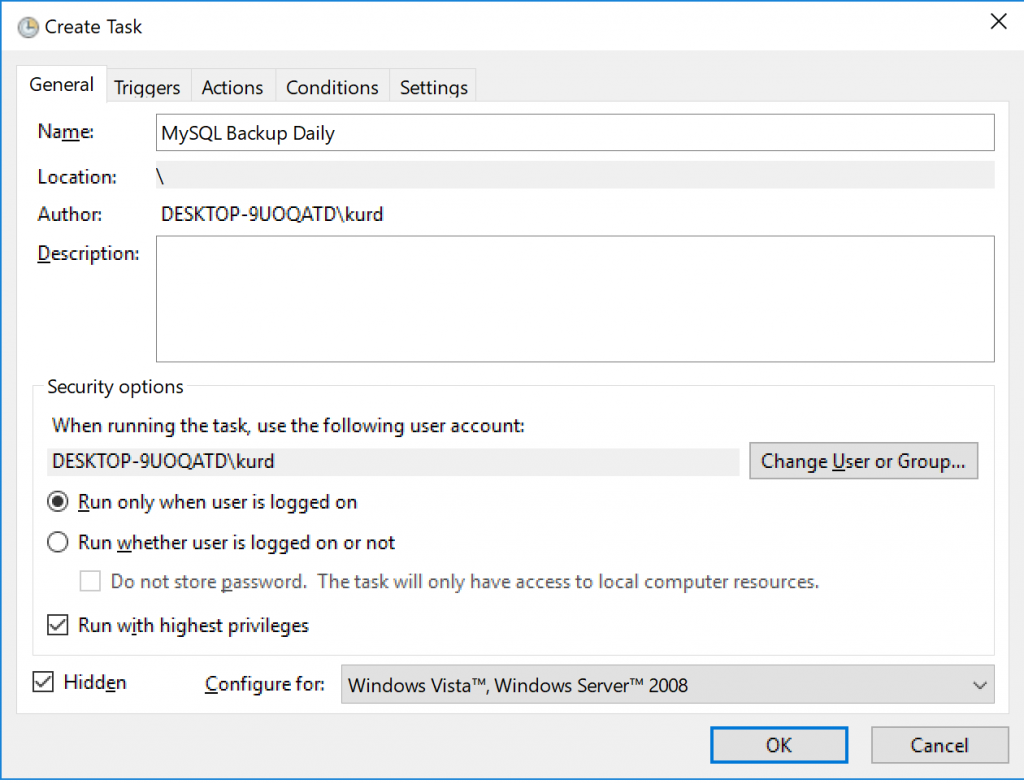
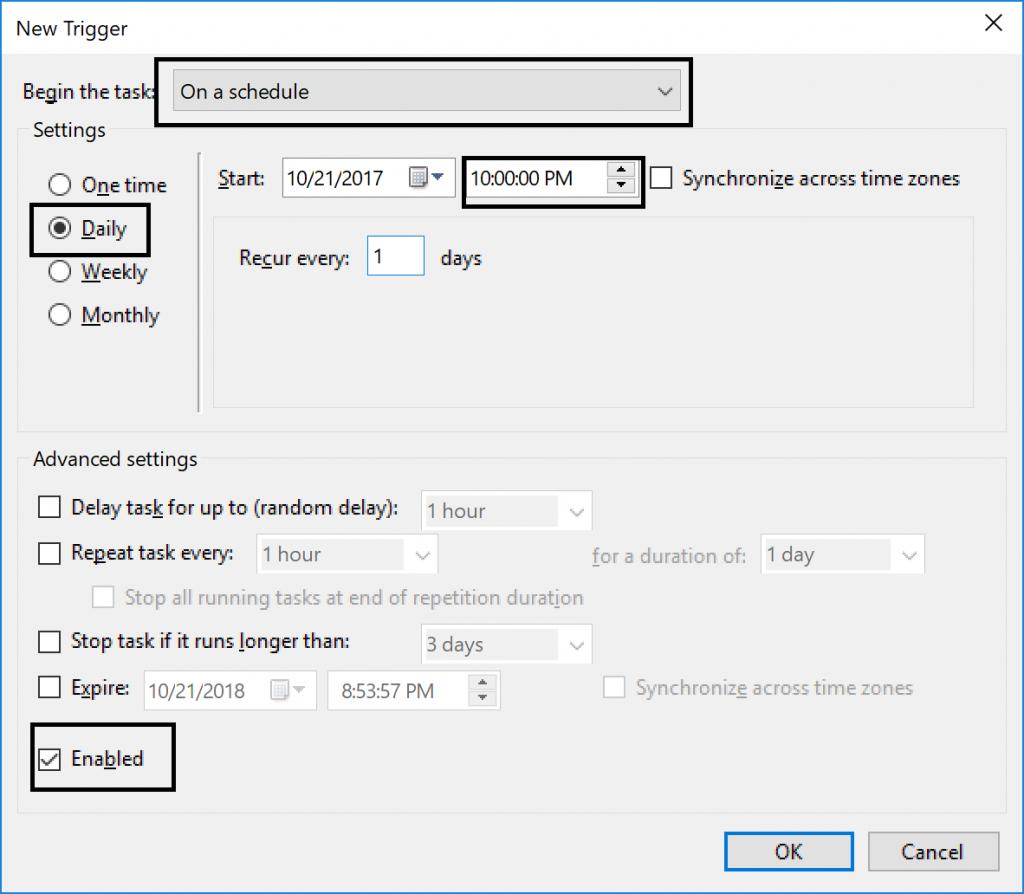
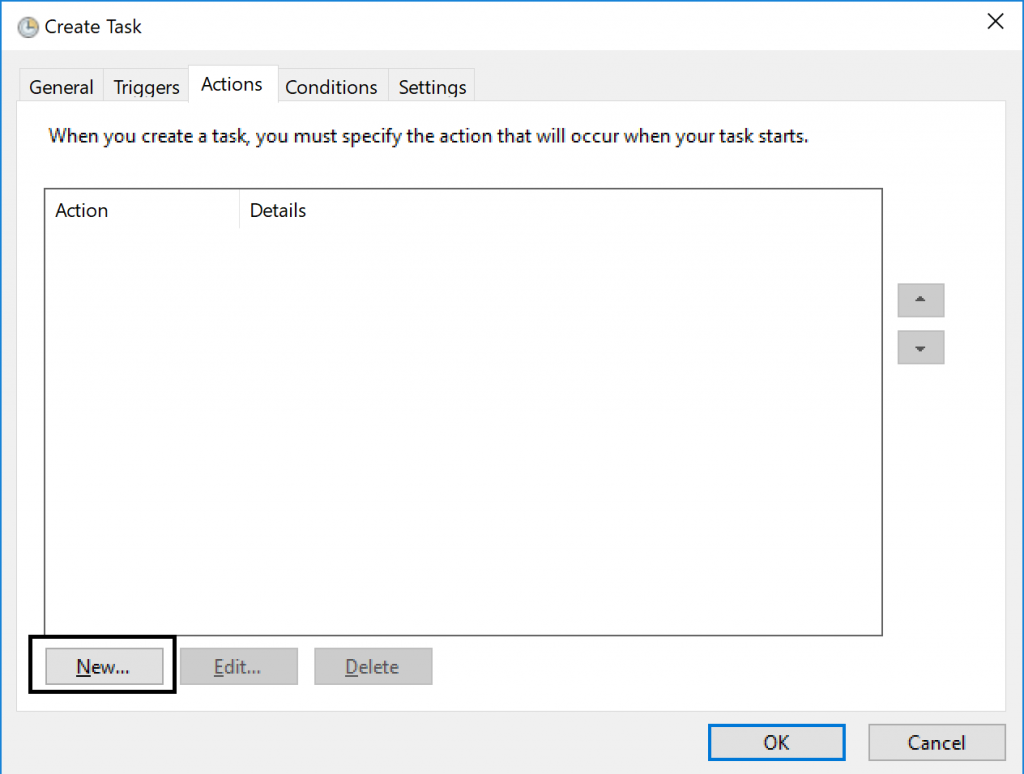
mysql-backup.bat.
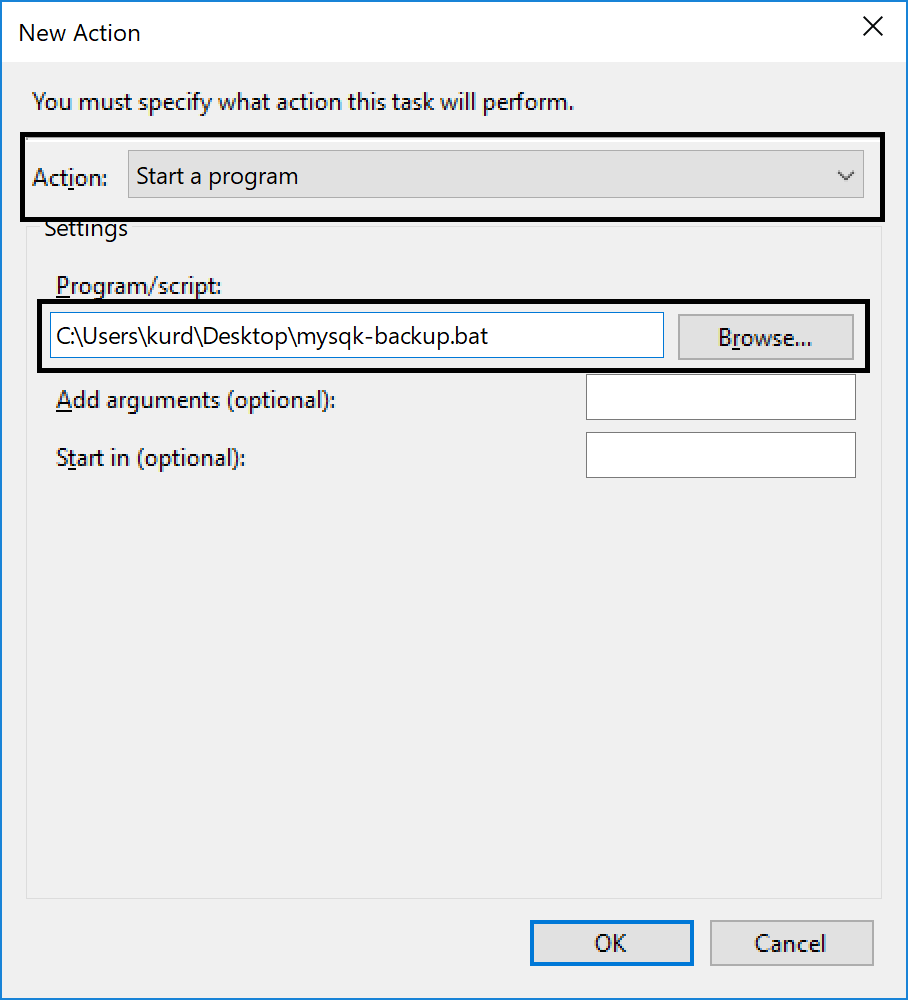
Update 2026: on the General tab, choose Run whether user is logged on or not. Run the task under a dedicated account, the same one that created the login path.
-- Dump completed line.--databases adds a USE statement to the dump, which overrides the database you name when restoring.mysqlpump has been removed in MySQL 8.4. mysqldump suits small and medium databases. For parallelism and compression, look at MySQL Shell's dump utilities.The core idea is unchanged: one script, one scheduled task. Add --routines --events, keep the password out of the script, and prove your backups by restoring them.
📝 First written from my own work in 2017; updated and expanded in November 2026 with AI assistance, keeping my original fix. Spotted something wrong? Tell me.
IT leader, engineer and security specialist from Erbil with 20+ years across higher education, telecoms, healthcare and government. Founder of BulkSMSIraq, VerifyWay and Kurd.ai.
How to run multiple Viber accounts on Windows 11 with a second local user and runas, plus the /savecred security risk and safer options I now recommend.
How I export a MySQL table or database with mysqldump and gzip, plus a 2026 update for safer passwords, consistent snapshots and verified backups.
TLS certificates now last 200 days and drop to 100 in March 2027. A practical guide to automating renewals with ACME and monitoring expiry before outages.